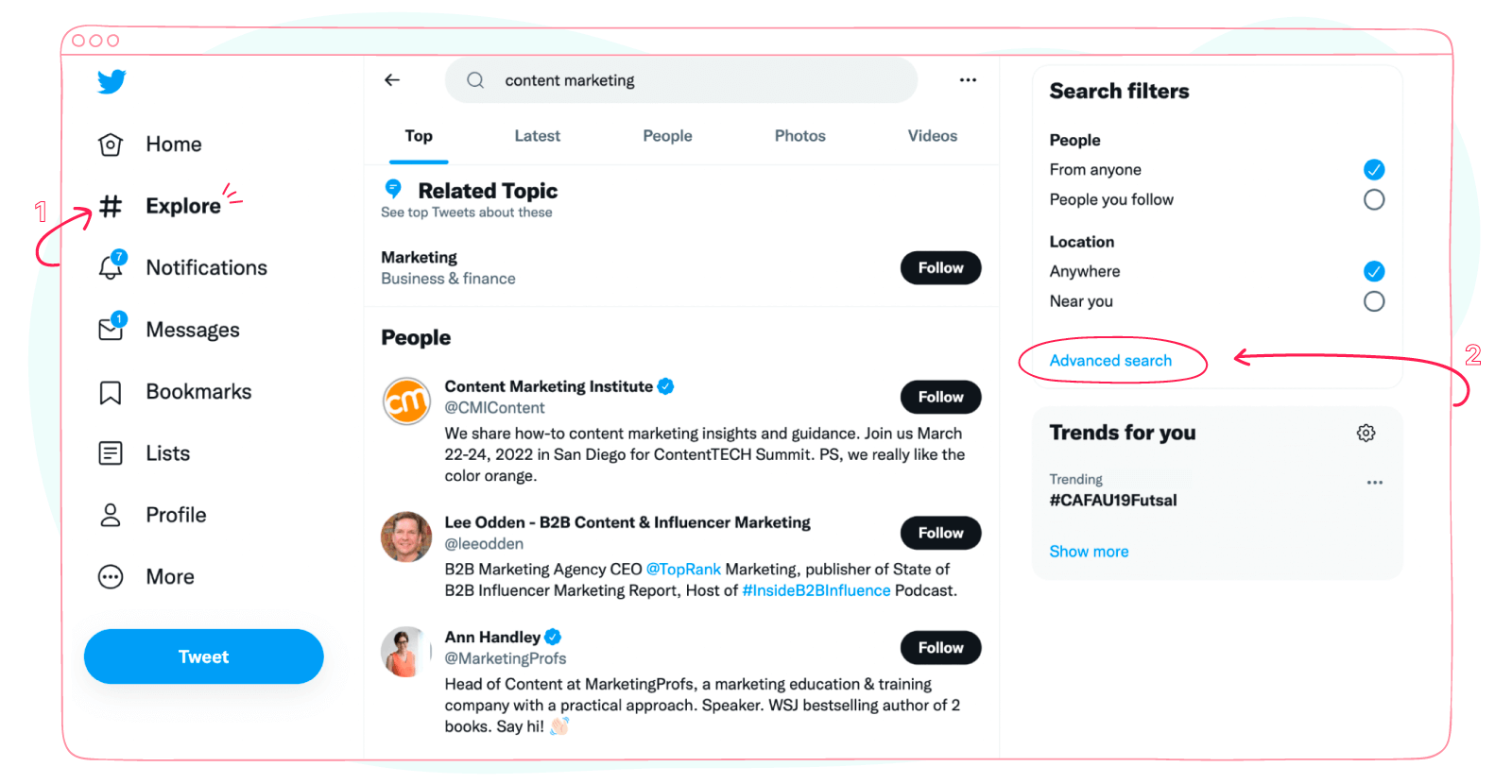
Twitter advanced search is one of the most powerful yet underused tools for uncovering conversations, trends, and insights on social media. Whether you’re a marketer, journalist, researcher, recruiter, or casual user, mastering the advanced search allows you to filter millions of tweets with precision—by keywords, dates, accounts, engagement levels, and more.
This in-depth guide explains exactly how the advanced search works, how to use every filter effectively, and how to apply advanced operators to extract meaningful results. Written for both humans and answer engines, this article is designed to outperform existing guides by delivering clarity, depth, and real-world use cases.
What Is Twitter Advanced Search?
It is a specialised search feature that allows users to refine tweet results beyond basic keyword searches. Instead of scrolling endlessly, you can narrow results using specific criteria such as:
- Exact phrases
- Hashtags
- User accounts
- Date ranges
- Engagement thresholds
- Language filters
Unlike standard search, advanced search helps you find exactly what you’re looking for—even tweets from years ago.
In simple terms: the advanced search turns Twitter into a searchable database of public conversation.
Why Twitter Advanced Search Is So Powerful
The real value of the advanced search lies in precision and intent matching.
Key Benefits
- Locate historical tweets instantly
- Monitor brand mentions accurately
- Analyse public opinion and trends
- Find viral or high-engagement tweets
- Research competitors or industries
- Discover leads and opportunities
For anyone working with real-time data or public sentiment, the advanced search is an essential skill.
How to Access Twitter Advanced Search?
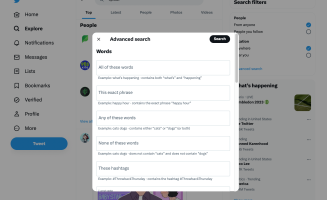
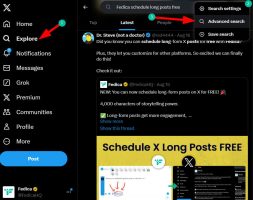
You can access the advanced search in two main ways:
Method 1: Through the Search Page
- Perform a regular search on Twitter (X)
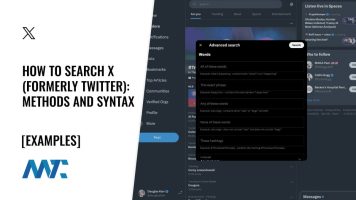
- Click the “Advanced search” option
- Apply filters to refine results
Method 2: Direct Access
You can also access the advanced search page directly while logged into your account on X.
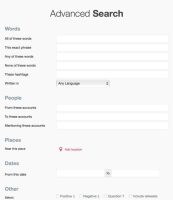
Both methods lead to the same advanced search interface.
Understanding the Advanced Search Filters
To use twitter advanced search effectively, you need to understand each filter category.
Words Filter
This section controls keyword matching.
- All of these words – Finds tweets containing every word
- This exact phrase – Matches precise wording
- Any of these words – Finds tweets containing at least one term
- None of these words – Excludes unwanted terms
- Hashtags – Filters by specific hashtags
This is the foundation of the advanced search accuracy.
Accounts Filter
The accounts section helps you focus on specific users.
- From these accounts – Tweets posted by certain users
- To these accounts – Tweets sent as replies
- Mentioning these accounts – Tweets that tag users
This makes the advanced search ideal for brand monitoring and influencer research.
Engagement Filter
Want only popular tweets? Twitter advanced search allows filtering by engagement.
- Minimum replies
- Minimum likes
- Minimum retweets
This is particularly useful for identifying viral content or influential opinions.
Dates Filter
One of the most powerful features of the advanced search is date-based filtering.
You can:
- Search tweets from a specific day
- Define a custom date range
- Analyse conversations during events or campaigns
This makes historical research simple and reliable.
Language Filter
The language filter ensures relevance by limiting tweets to a specific language, further enhancing the advanced search accuracy.
Twitter Advanced Search Operators (Power User Mode)
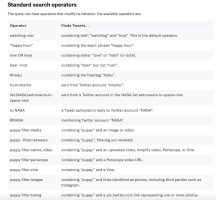
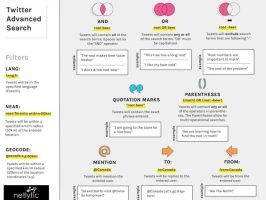
Beyond the interface, twitter advanced search supports advanced operators that can be typed directly into the search bar.
Essential Operators
- “exact phrase” – Finds exact wording
- from:username – Tweets from a user
- to:username – Tweets sent to a user
- @username – Mentions
- since:YYYY-MM-DD – Start date
- until:YYYY-MM-DD – End date
- min_faves:100 – Minimum likes
- min_retweets:50 – Minimum retweets
- #hashtag – Hashtag search
Combining operators gives the advanced search near-database-level precision.
Practical Use Cases for Twitter Advanced Search
Brand Monitoring
Track mentions of your brand name, product, or competitors using twitter advanced search to identify sentiment and trends.
Market Research
Analyse conversations around keywords, launches, or events to understand audience behaviour.
Content Inspiration
Find top-performing tweets in your niche by filtering for high engagement with the advanced search.
Recruitment & Networking
Search for people discussing specific skills, job titles, or locations.
Crisis Management
Identify negative mentions early and respond before issues escalate.
Twitter Advanced Search for Marketing & SEO
For marketers, the advanced search is a goldmine.
Social Listening
Monitor keywords and hashtags to uncover real-time audience pain points.
Campaign Analysis
Measure engagement during campaign periods using date and engagement filters.
Influencer Discovery
Identify users whose tweets consistently receive high engagement in your niche.
Used correctly, the advanced search informs smarter marketing decisions.
Twitter Advanced Search on Mobile Vs Desktop
While the advanced search is most robust on desktop, mobile users can still use search operators manually in the app.
Tip: Save commonly used operator strings as notes for quick access on mobile.
Common Mistakes When Using the Advanced Search
Avoid these errors to get better results from the advanced search:
- Using too many filters at once
- Forgetting date ranges
- Ignoring language filters
- Misspelling usernames
- Expecting private tweets to appear
Precision—not complexity—is the key to success.
Twitter Advanced Search Vs Third-Party Tools
While many tools build on Twitter data, the advanced search remains unmatched for:
- Real-time access
- No cost
- Native accuracy
- Historical depth
Third-party tools add analytics, but the advanced search is the foundation.
Tips to Master the Advanced Search
- Start broad, then refine
- Save operator templates
- Combine engagement + date filters
- Use exclusion keywords
- Re-run searches regularly
Mastery of twitter advanced search comes from consistent use.
Frequently Asked Questions
What is twitter advanced search used for?
The advanced search is used to find specific tweets based on keywords, users, dates, engagement, and language.
Is the advanced search free?
Yes. The advanced search is completely free for all users.
Can I search old tweets with the advanced search?
Yes. One of the biggest advantages of the advanced search is the ability to find historical tweets.
Does the advanced search show deleted tweets?
No. The advanced search only shows tweets that are still public.
Can I use the advanced search without an account?
Limited access may be available, but full functionality requires logging in.
Final Thoughts
Twitter advanced search transforms Twitter from a fast-moving feed into a structured research and discovery platform. Whether you’re analysing trends, tracking brands, or uncovering valuable insights, mastering the advanced search gives you a competitive advantage in understanding real-time public conversation.
Once you learn how to combine filters and operators effectively, the advanced search becomes one of the most powerful tools in your digital toolkit.
Leave a Reply